
Create QR Code Listings to Sell Anything Locally
List anything for sale with photos, pricing, and condition details. Print your QR poster, pin it on community bulletin boards, and reach local buyers instantly — no app needed.
Everything You Need for Sell Items
Purpose-built tools that make managing sell items simple, trackable, and professional.
Photo Gallery
Upload multiple photos to showcase your items from every angle
Price & Condition
Display price, condition badges (New, Like New, Good), and item details
Location Discovery
Add your location with Google Maps so local buyers can find you
Direct Contact
Buyers can comment, ask questions, and reach you instantly
QR Scan Tracking
See exactly how many people scanned your poster and when
AI Auto-Fill
Paste item description and AI structures your listing automatically
Who Is This For
Built for businesses and individuals who want to reach people in the real world.
Moving & Downsizing
Sell furniture, appliances, and household items fast. Print QR posters for your building lobby and sell before moving day.
Students
Sell textbooks, furniture, and electronics at end of semester. Post QR listings on campus boards and dorm hallways.
Small Retailers
Sell excess inventory or returned items locally with a QR listing and no platform fees.
Casual Sellers
Declutter your home and earn money from items you no longer need — no shipping, no fees, just local buyers.
How It Works
Three simple steps from idea to a scannable QR poster.
Create your sell items
Fill in your details or paste text for AI to structure it for you
Design your QR poster
Use Poster Studio to create a print-ready poster with your QR code
Print, place & track
Put your poster anywhere and watch the scans roll in
Why Choose BluePoster
Everything you need to go from idea to printed QR poster in minutes.
Zero listing fees
Post your item for free. No commission, no subscription, no platform cut of your sale price.
Reach local buyers instantly
A QR poster in your building lobby or community board puts your listing in front of people nearby.
Track scan interest
See how many people scanned your QR poster. Low scans? Try a new photo or adjust your price.
AI-powered listing creation
Paste a quick description and AI formats it into a structured, attractive listing automatically.
See It In Action
A real-world example of how BluePoster powers sell items.
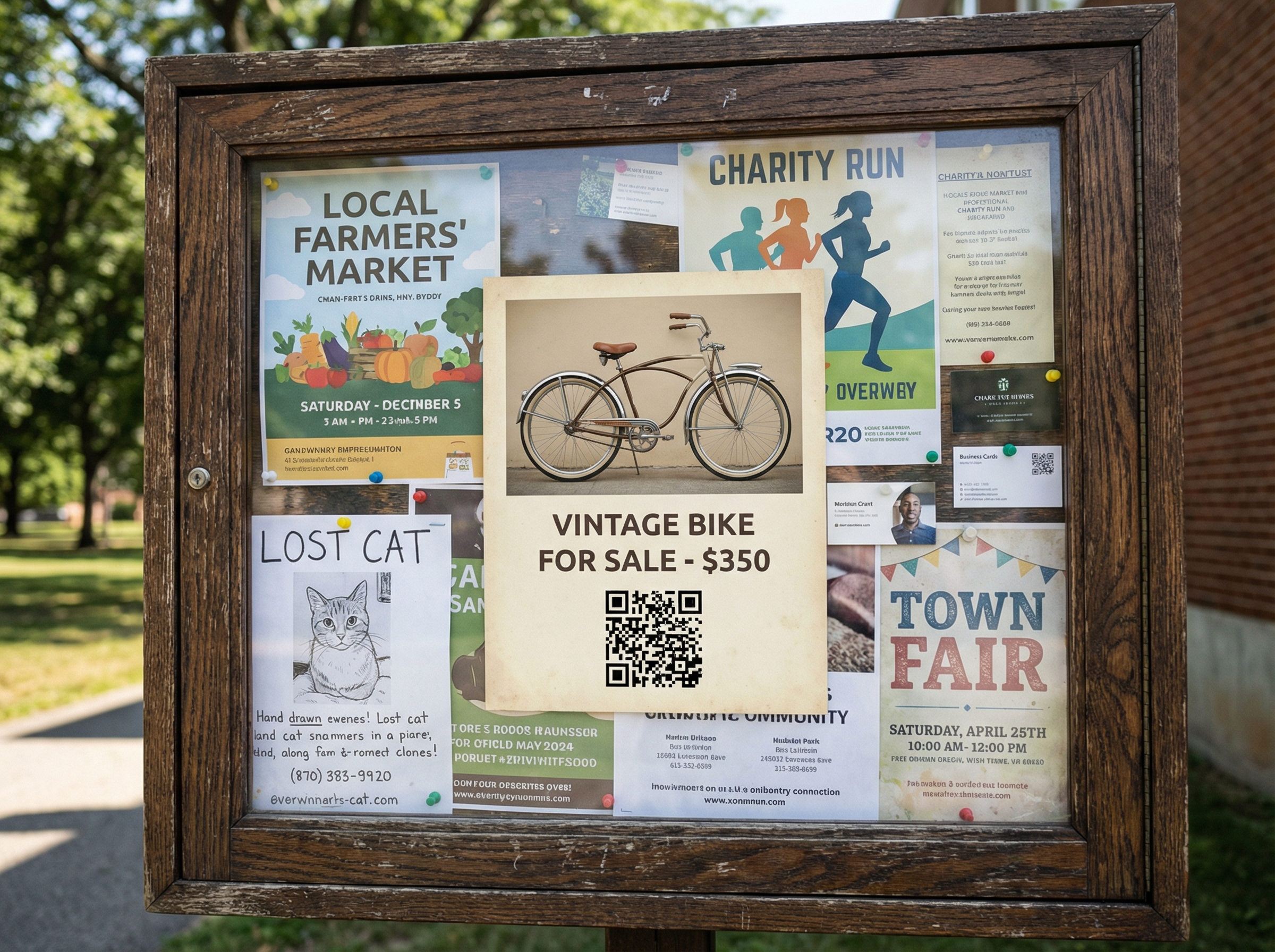
Neighborhood Marketplace
Sellers print QR posters for bikes, furniture, and electronics. Pin them on community bulletin boards and reach local buyers instantly.
Try It FreeFrequently Asked Questions
How do I create a QR code listing to sell something?
Is it free to create a sell listing?
How do buyers contact me?
Can I track how many people scan my poster?
What types of items can I sell?
Explore More Solutions
Discover other ways BluePoster helps you connect with your audience.
Ready to Create Your Sell Listing?
Start for free — no credit card required. Create your first sell listing in under a minute.