
Create QR Code Rental Listings for Your Property
List residential or commercial properties for rent with photos, amenities, and pricing. Print QR flyers for building lobbies and bulletin boards — prospective tenants scan to see everything.
Everything You Need for Rental Listings
Purpose-built tools that make managing rental listings simple, trackable, and professional.
Property Details
Bedrooms, bathrooms, square footage, and property type at a glance
Rent & Terms
Display monthly rent, deposit, lease terms, and available date
Amenity Toggles
Parking, laundry, AC, pet-friendly, furnished — all toggleable
Photo Gallery
Upload property photos for a visual tour before visiting
Location Map
Show property location with Google Maps for easy navigation
QR Flyer System
Print QR flyers for lobbies and bulletin boards
Who Is This For
Built for businesses and individuals who want to reach people in the real world.
Property Managers
Manage multiple listings from one dashboard. Post QR flyers in lobbies and track how many prospective tenants view each property.
Landlords
Create a polished listing with full photos and amenity details — without paying for a listing platform or hiring an agent.
Real Estate Agents
Supplement your listings with QR flyers at open houses and in building common areas to reach more local prospects.
Student Housing Offices
Post QR flyers on campus bulletin boards so students can browse available units, photos, and pricing without a call.
How It Works
Three simple steps from idea to a scannable QR poster.
Create your rental listings
Fill in your details or paste text for AI to structure it for you
Design your QR poster
Use Poster Studio to create a print-ready poster with your QR code
Print, place & track
Put your poster anywhere and watch the scans roll in
Why Choose BluePoster
Everything you need to go from idea to printed QR poster in minutes.
Reach tenants where they are
Place QR flyers in building lobbies, laundry rooms, and bulletin boards where people already look for housing.
Update listing details anytime
Change rent, availability date, or add new photos without reprinting. The QR code stays the same.
Full photo galleries
Show every room with a swipeable photo gallery so serious prospects can self-qualify before visiting.
Show property on Google Maps
Prospective tenants can see the exact location and nearby transit before reaching out.
See It In Action
A real-world example of how BluePoster powers rental listings.
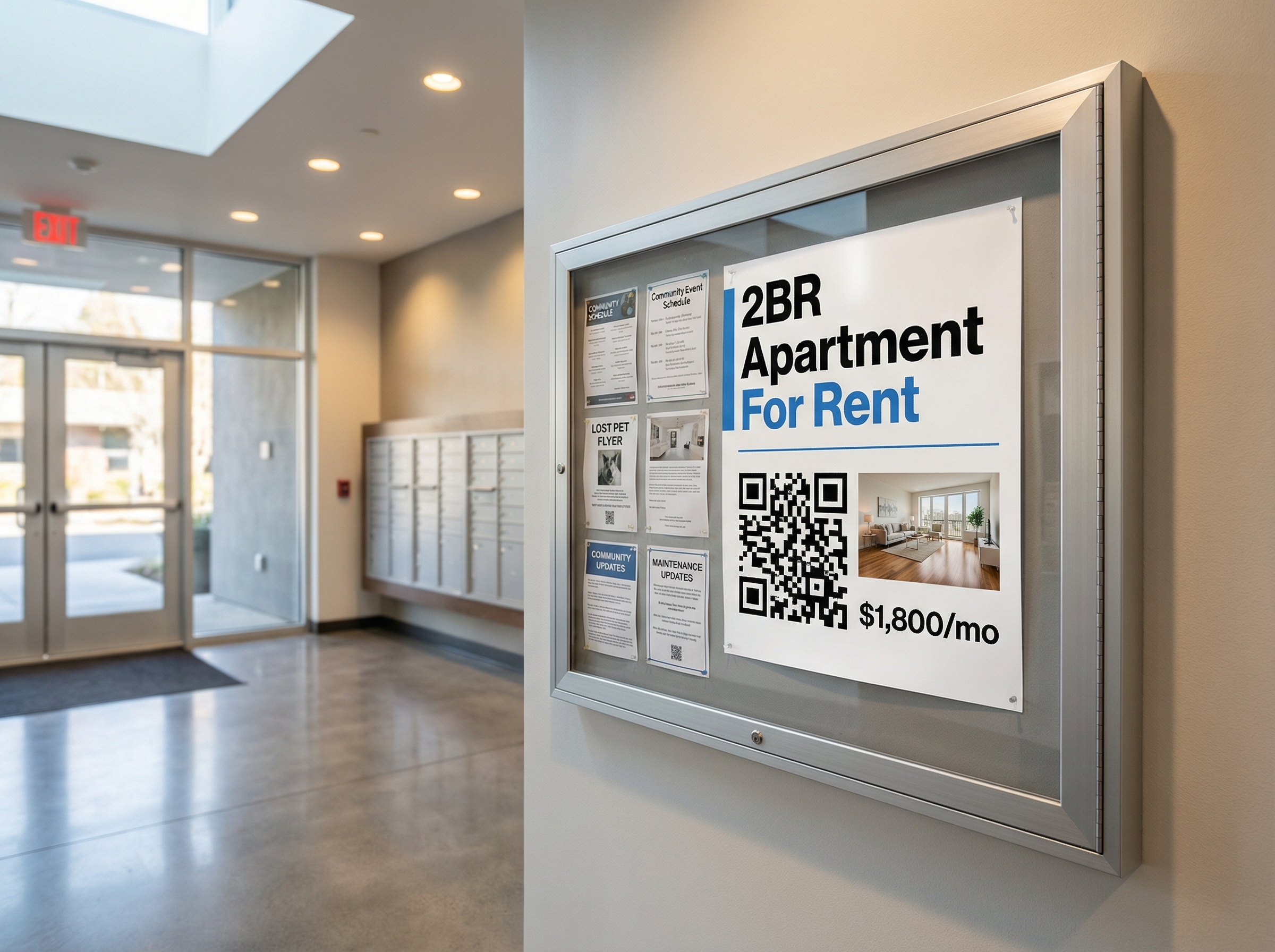
Apartment For Rent
Property managers pin QR flyers in building lobbies. Prospective tenants scan to see photos, floor plans, pricing, and apply directly.
Try It FreeFrequently Asked Questions
How do I create a QR code rental listing?
Can I add photos of the property to the listing?
How do prospective tenants contact me after scanning?
Can I update the listing details after printing the QR code?
Is this useful for commercial properties too?
Explore More Solutions
Discover other ways BluePoster helps you connect with your audience.
Ready to Create Your Rental Listing?
Start for free — no credit card required. Create your first rental listing in under a minute.