
Create QR Code Reservation System for Your Business
Set up time-slot based booking for any service. Customers scan your QR poster to pick a date, time slot, and party size — no phone call, no app needed.
Everything You Need for Reservations
Purpose-built tools that make managing reservations simple, trackable, and professional.
Interactive Calendar
Beautiful date picker for customers to choose their booking date
Time Slot Grid
Define available time slots with per-slot capacity limits
Flexible Scheduling
Set per-weekday hours, holidays, blocked times, and pause bookings
Cancellation Policy
Enforce cancellation deadlines (e.g., 24 hours before appointment)
Booking Dashboard
Calendar view with per-date reservation counts and attendee list
Calendar Emails
Customers get .ics confirmations and cancellation updates via email
Who Is This For
Built for businesses and individuals who want to reach people in the real world.
Restaurant Managers
Replace the hostess phone with a QR code at the door. Guests book online, you manage capacity from a dashboard.
Hair Salons & Spas
Let clients book appointments 24/7. Set time slots per service type and never double-book again.
Clinics & Doctors
Reduce phone call volume with self-service booking. Patients pick slots, get confirmations, and add to their calendar.
Coworking Spaces
Manage desk and meeting room reservations with capacity limits per slot.
How It Works
Three simple steps from idea to a scannable QR poster.
Create your reservations
Fill in your details or paste text for AI to structure it for you
Design your QR poster
Use Poster Studio to create a print-ready poster with your QR code
Print, place & track
Put your poster anywhere and watch the scans roll in
Why Choose BluePoster
Everything you need to go from idea to printed QR poster in minutes.
Eliminate phone tag
Customers book themselves online at any hour. No calls, no voicemail, no back-and-forth.
Manage capacity automatically
Slots fill up and close automatically. No risk of overbooking during busy periods.
Reduce no-shows with calendar invites
Every booking comes with a .ics file so customers add the appointment to their calendar.
Customize time slots per day
Set different hours for weekdays vs weekends, block holidays, and pause bookings anytime.
See It In Action
A real-world example of how BluePoster powers reservations.
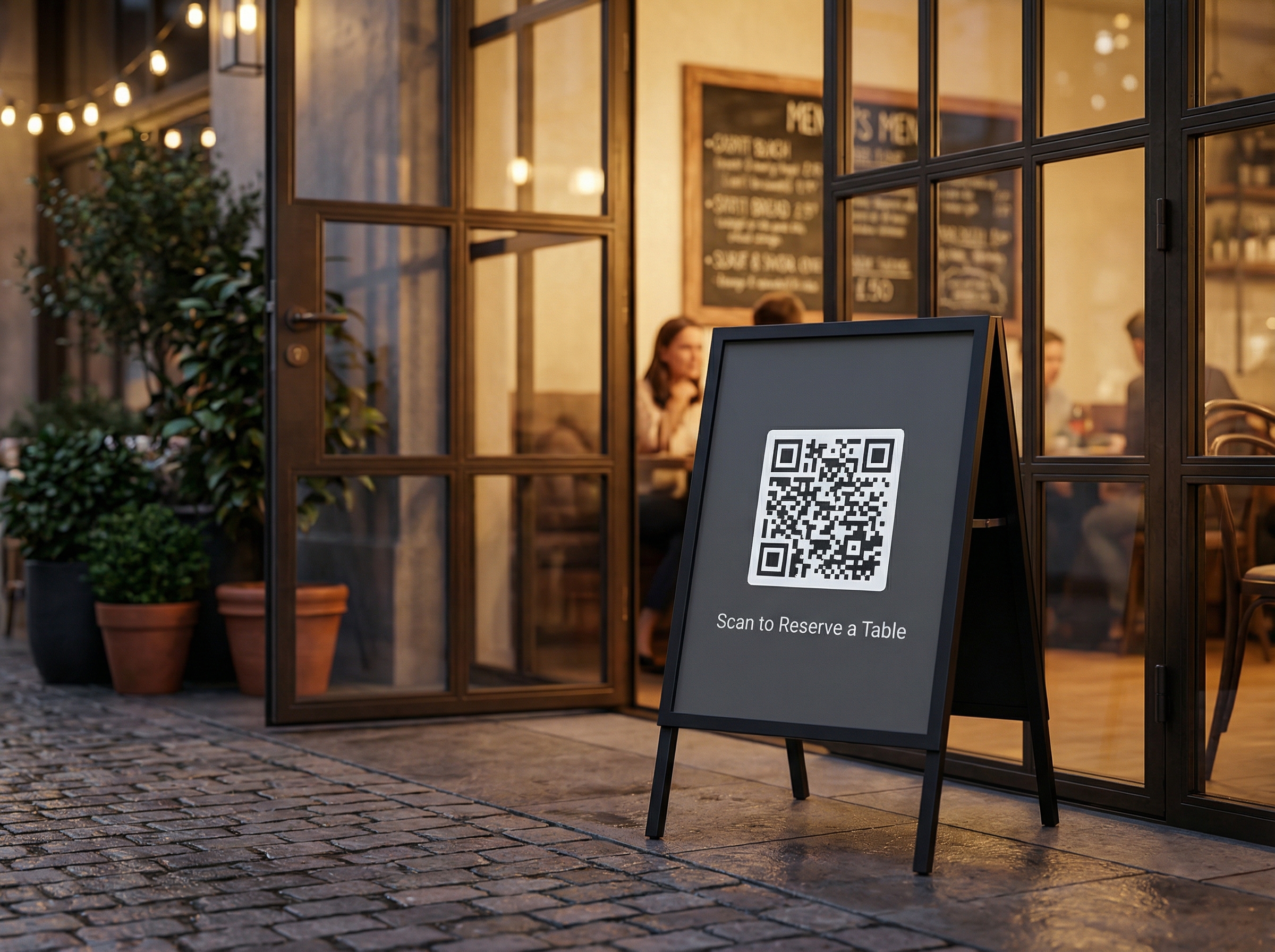
Restaurant Table Booking
A restaurant places an A-frame sign at the entrance. Guests scan the QR code to pick a date, time slot, and party size — no phone call required.
Try It FreeFrequently Asked Questions
How do I set up a QR code booking system?
Can I limit how many bookings per time slot?
Do customers receive a booking confirmation?
Can I block out specific dates or holidays?
Can I set different hours for different days of the week?
Explore More Solutions
Discover other ways BluePoster helps you connect with your audience.
Ready to Create Your Reservation System?
Start for free — no credit card required. Create your first reservation system in under a minute.