
Create QR Code Job Postings for Local Hiring
Post job openings with salary range, location, schedule, and required skills. Print QR posters for your storefront and let job seekers scan to view the full listing and apply.
Everything You Need for Job Offers
Purpose-built tools that make managing job offers simple, trackable, and professional.
Structured Listings
Job title, description, salary range, and requirements in a clean format
Salary Display
Show salary range upfront to attract the right candidates
Skill Tags
List required skills and qualifications as scannable tags
Schedule Type
Full-time, part-time, contract, temporary, or internship badges
Location Map
Show workplace location with Google Maps integration
Scan to Apply
Job seekers scan your storefront poster to view the full listing
Who Is This For
Built for businesses and individuals who want to reach people in the real world.
Retail Store Owners
Post a hiring QR in your window and reach foot traffic directly. No job board account or monthly fee required.
Restaurant Managers
Find kitchen staff, servers, and hosts locally. Post salary and schedule upfront to attract candidates who are the right fit.
Small Business Owners
Hire locally without paying job board fees. Print QR posters for your storefront, notice board, or community spaces.
Startups & Agencies
Post part-time or contract opportunities and share the QR link on social media alongside physical posters.
How It Works
Three simple steps from idea to a scannable QR poster.
Create your job offers
Fill in your details or paste text for AI to structure it for you
Design your QR poster
Use Poster Studio to create a print-ready poster with your QR code
Print, place & track
Put your poster anywhere and watch the scans roll in
Why Choose BluePoster
Everything you need to go from idea to printed QR poster in minutes.
No job board fees
Create and publish a job posting for free. Reach local candidates without paying per post or monthly subscription.
Target local candidates
A QR poster in your window reaches people already in your neighborhood who can start quickly.
Transparent salary builds trust
Showing salary range upfront filters out poor-fit candidates and saves time for both sides.
Update posting anytime
Edit salary, requirements, or status without reprinting. Mark the role as filled when you are done.
See It In Action
A real-world example of how BluePoster powers job offers.
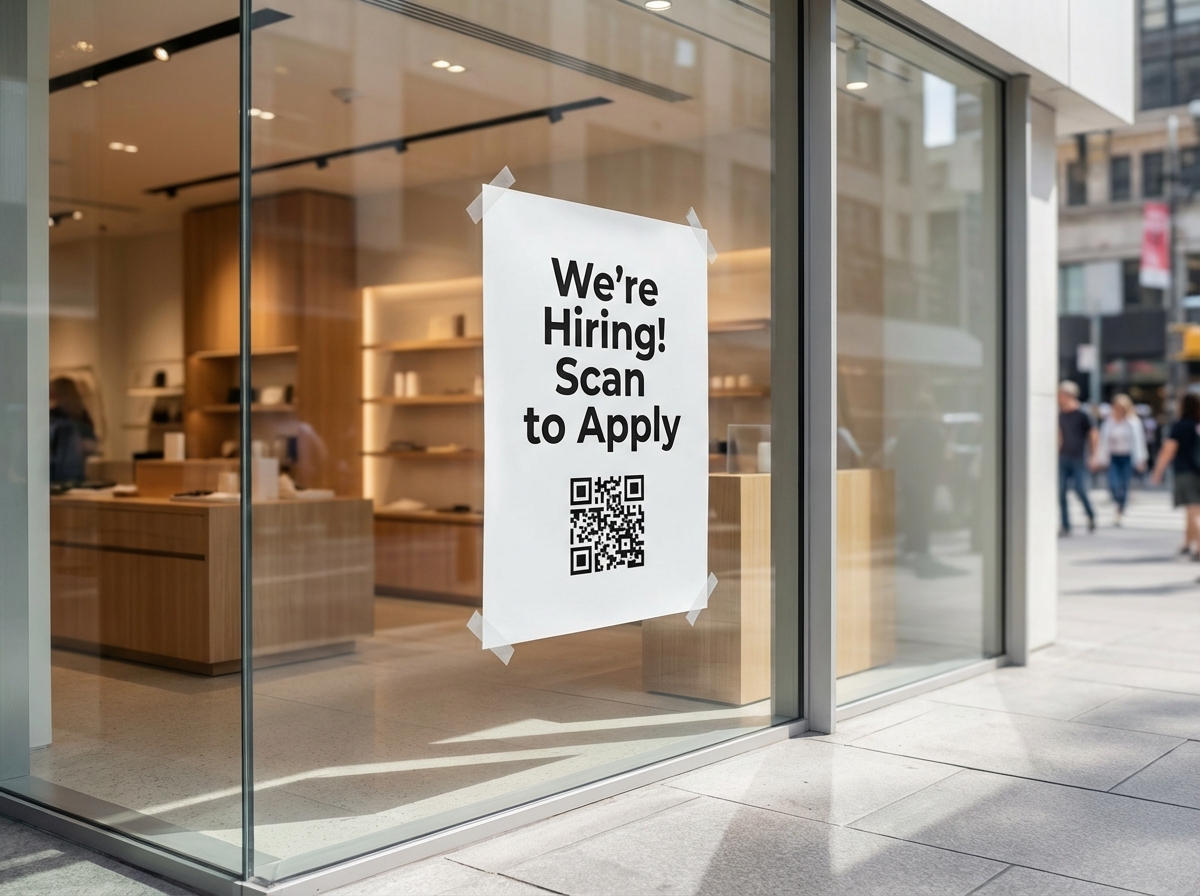
Storefront Hiring
Retailers post hiring QR posters in their windows. Job seekers scan to see the full listing with salary, schedule, and how to apply.
Try It FreeFrequently Asked Questions
How do I post a job with a QR code?
Do I need to pay job board fees?
How do job seekers apply after scanning?
Can I show the workplace on a map?
What job types can I list?
Explore More Solutions
Discover other ways BluePoster helps you connect with your audience.
Ready to Create Your Job Posting?
Start for free — no credit card required. Create your first job posting in under a minute.