
Create QR Code Event Pages with Built-In RSVP
Create event pages with built-in RSVP forms. Track capacity, send calendar invites (.ics), and manage your guest list from a dashboard — all through a single QR code poster.
Everything You Need for Event RSVPs
Purpose-built tools that make managing event rsvps simple, trackable, and professional.
Calendar Invites
Attendees receive .ics calendar files via email automatically
Capacity Tracking
Set max capacity and track remaining spots in real time
Guest Count
Each RSVP can include party size for accurate headcount planning
Attendee Dashboard
View and manage your guest list with status badges and stats
Easy Cancellation
Attendees can cancel their RSVP and calendar events update automatically
Scan to RSVP
Event posters with QR codes let people RSVP with one scan
Who Is This For
Built for businesses and individuals who want to reach people in the real world.
Event Organizers
Run community events, workshops, and conferences with a QR RSVP poster. Manage headcount from a single dashboard.
Student Organizations
Post QR flyers on campus bulletin boards. Members scan to RSVP and automatically get a calendar reminder.
Corporate Teams
Manage internal event attendance without email threads. Share a QR code in Slack and track responses in real time.
Community Groups
Organize neighborhood meetups, charity drives, and social events with a simple scan-to-RSVP QR code poster.
How It Works
Three simple steps from idea to a scannable QR poster.
Create your event rsvps
Fill in your details or paste text for AI to structure it for you
Design your QR poster
Use Poster Studio to create a print-ready poster with your QR code
Print, place & track
Put your poster anywhere and watch the scans roll in
Why Choose BluePoster
Everything you need to go from idea to printed QR poster in minutes.
Instant RSVP with one scan
No app, no login required. Attendees scan, fill in their name, and they are confirmed — the whole process takes under 30 seconds.
Accurate headcount in real time
Party size fields give you a precise attendee count, not just a number of responses, so venue and catering planning is accurate.
Auto-send calendar invites
Every RSVP triggers an email with a .ics file. Attendees add the event to their calendar without any effort on your part.
Automatic capacity control
Set a limit and BluePoster closes RSVPs when you hit capacity — no manual intervention, no awkward over-booking.
See It In Action
A real-world example of how BluePoster powers event rsvps.
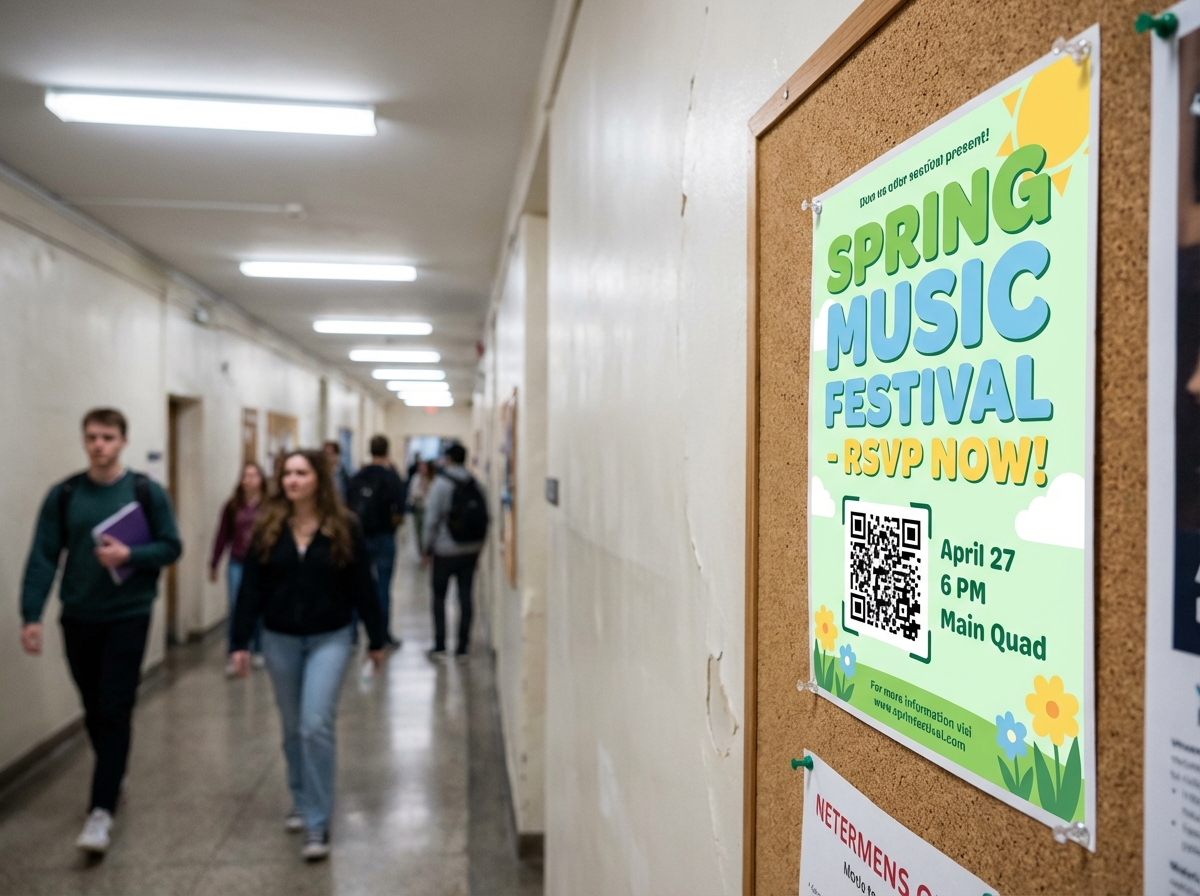
Campus Event RSVP
Student organizations put up event posters with QR codes. Scan to RSVP, get calendar invites, and track capacity — all automated.
Try It FreeFrequently Asked Questions
How does a QR code event RSVP work?
Do attendees receive a calendar invite after RSVPing?
Can I set a maximum capacity for my event?
Can attendees bring guests or indicate party size?
How do I manage my guest list?
Is this useful for small private events?
Explore More Solutions
Discover other ways BluePoster helps you connect with your audience.
Ready to Create Your Event Page?
Start for free — no credit card required. Create your first event RSVP page in under a minute.